Why hosts add it
A better stay shows up in your reviews.
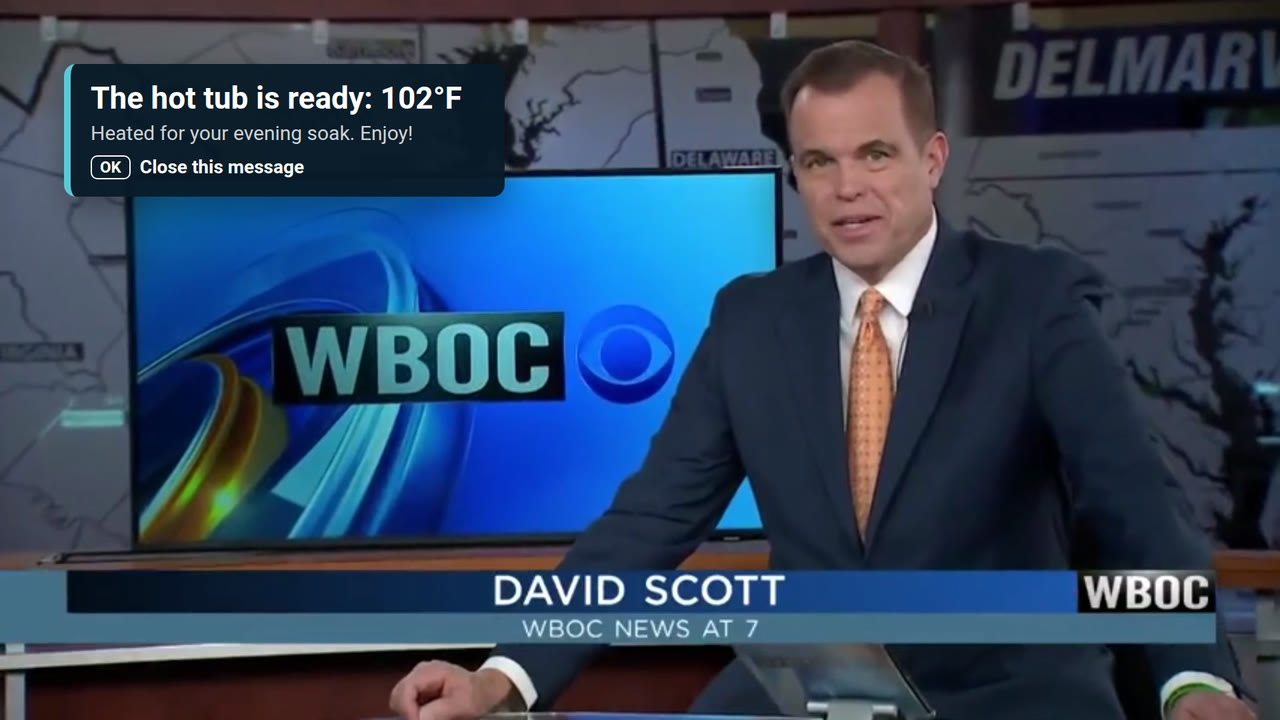
Guests remember the little things: being welcomed by name, finding the Wi-Fi without asking, hearing the hot tub is ready. The TV is the one screen everyone in the house sees, so it's the best place to take care of them.
Something worth turning on
Local news, weather, area radio and films made nearby, ready on the first press of the remote. No logins, no hunting for the right input.
Checkout notes have a new home
Airbnb removed checkout instructions from the listing on November 20, 2026. Tv.STRgazer asks guests politely, on screen, when it matters.
Your name, not just the platform's
Your brand, story and website are on screen all stay, so guests remember who hosted them.
Reviews that travel with you
A checkout QR code invites guests to review you on Google, building a reputation beyond any one booking site.
Fewer repeat questions
Wi-Fi, house info and local tips are right on the TV, so guests message you less.
Local TV news without the cable bill or a frustrating antenna setup
Local TV news for most areas comes through the app, so many hosts can skip cable or an unreliable antenna just for the news. Check your area first; live sports still need a TV service.
Settings start out in line with each booking platform's rules, and you choose what to turn on.
What guests see
A real TV app, not a web page on a screen.
Tv.STRgazer gives guests something to watch and keeps them in the loop, on a new Google TV set or a Google TV stick plugged into the TV you have.
Welcomed by name
Each stay starts with the guest's name, Wi-Fi details and house info, and it all clears at checkout.
Local news, radio and stories
Local TV news, the weather, area radio stations with album art as songs play, and podcasts about the place, so the TV feels like part of the trip.
Friendly reminders, right on time
Checkout notes the evening before and the morning of, a trash-night heads-up, storm warnings. Guests clear them with one press of OK.
Your brand and your mascot
Your logo, colors and voice throughout, plus a personal welcome video starring your own character.
See it on a real TV
Recorded on a Google TV at Casa Blue Heron, our first rental on Maryland's Eastern Shore.
Safety alerts
Reach every guest, whatever they're watching.
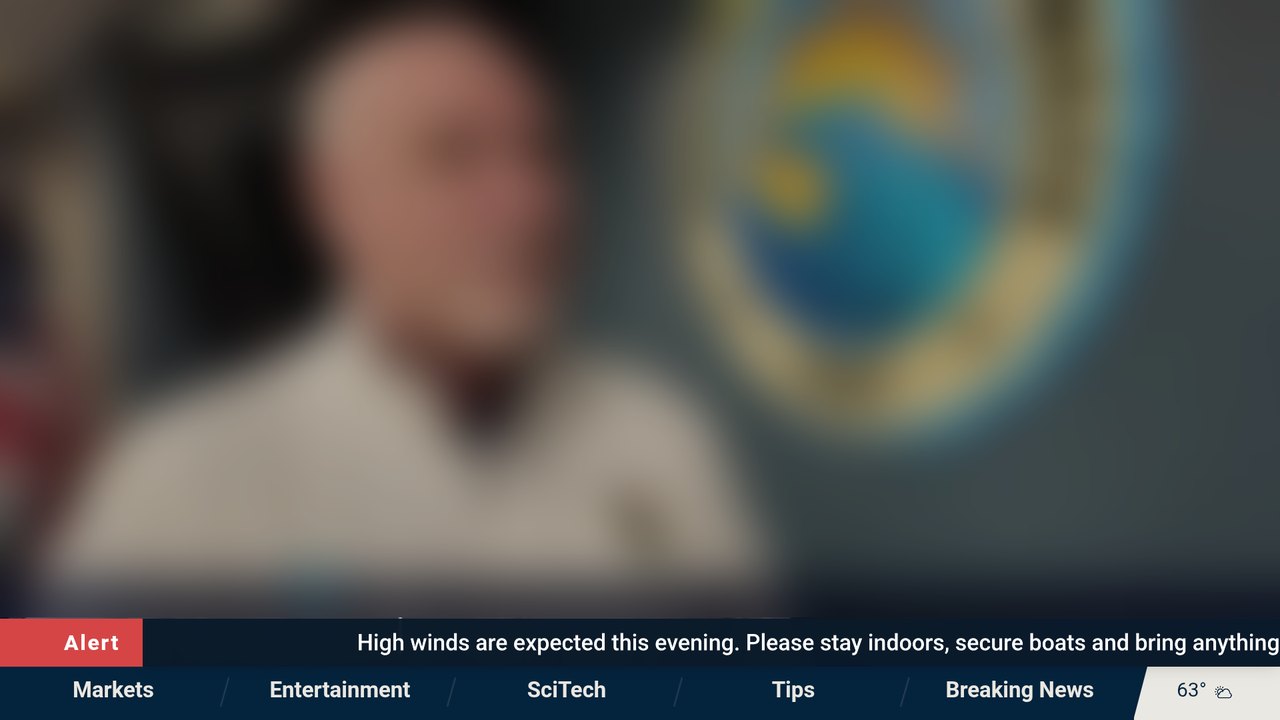
A storm is coming, the water is off, the power may go out tonight. Guests don't read texts on vacation, but they do look at the TV. Send a warning from your phone and it scrolls across the screen right over their show, even in another app.
Over any show
The alert scrolls over whatever is playing: our app, a streaming app or the news. Nobody has to switch inputs to see it.
One TV or every house
Warn one room, one house or every property in the storm's path at once, from your phone or computer.
Hard to miss
For something that can't wait, send a pop-up instead. It comes back every hour until a guest presses OK.
Clear of the news ticker
Raise the crawl so it sits above a news channel's own ticker, and choose how long it stays on screen.
Promotions
The best ad space in the house is yours.
Guests spend hours in front of the TV. Use some of that time for your own business, your extras and the places you love nearby, without getting in the way of their show.
Bring guests back
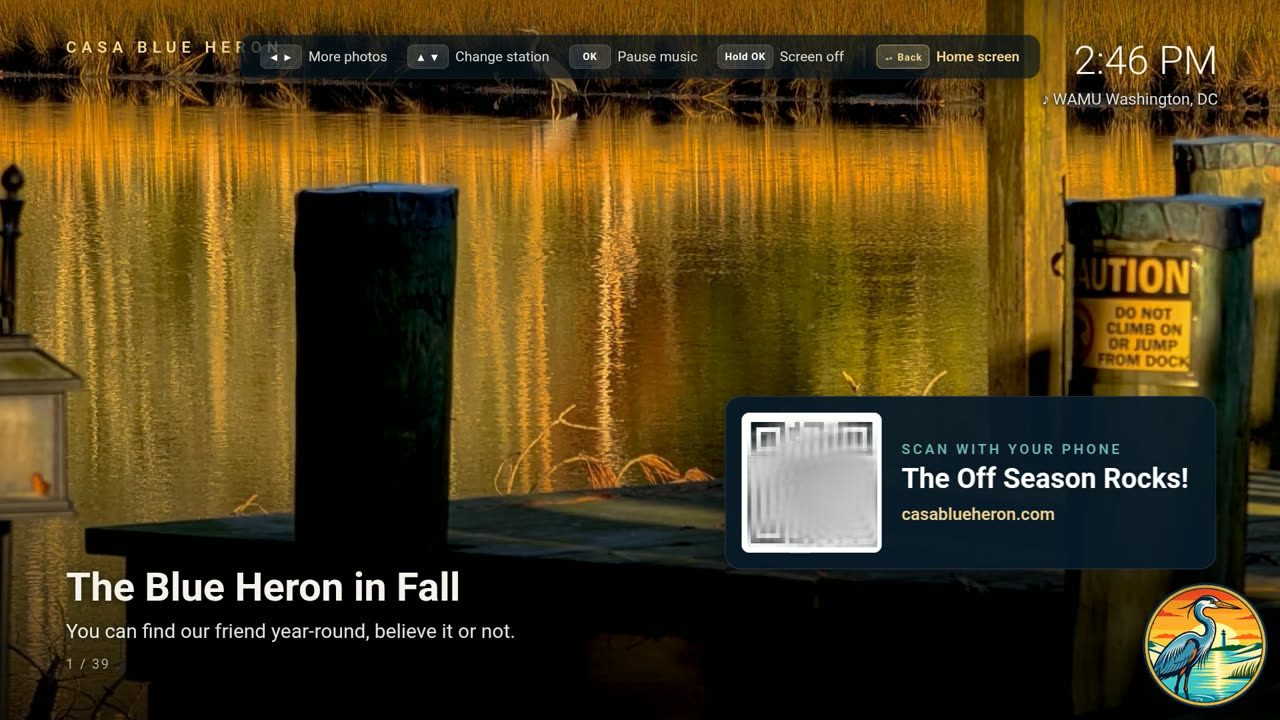
Your website and your other houses on slides with QR codes, and in short spots before the radio, so a great stay leads to the next booking.
Extras guests can ask for
Late checkout, early check-in, firewood or a kayak: guests ask from their stay page, a QR code away. You approve or decline, and charge where the booking lives.
Local tie-ins
Feature a restaurant, outfitter, winery or this weekend's festival on its own slide and QR code. Partner with local businesses, or just share your favorites.
One place for every TV
Set a promotion once for one TV, one house or all your houses. New slides reach every screen at its next check-in.
Promotions start out in line with Airbnb's, Vrbo's and Booking.com's rules for their guests, and you choose what to turn on.
The console
Every TV, every house, one console.
Change a message, a season's slides or the checkout steps from your phone or computer. Every TV has it within a minute.
-
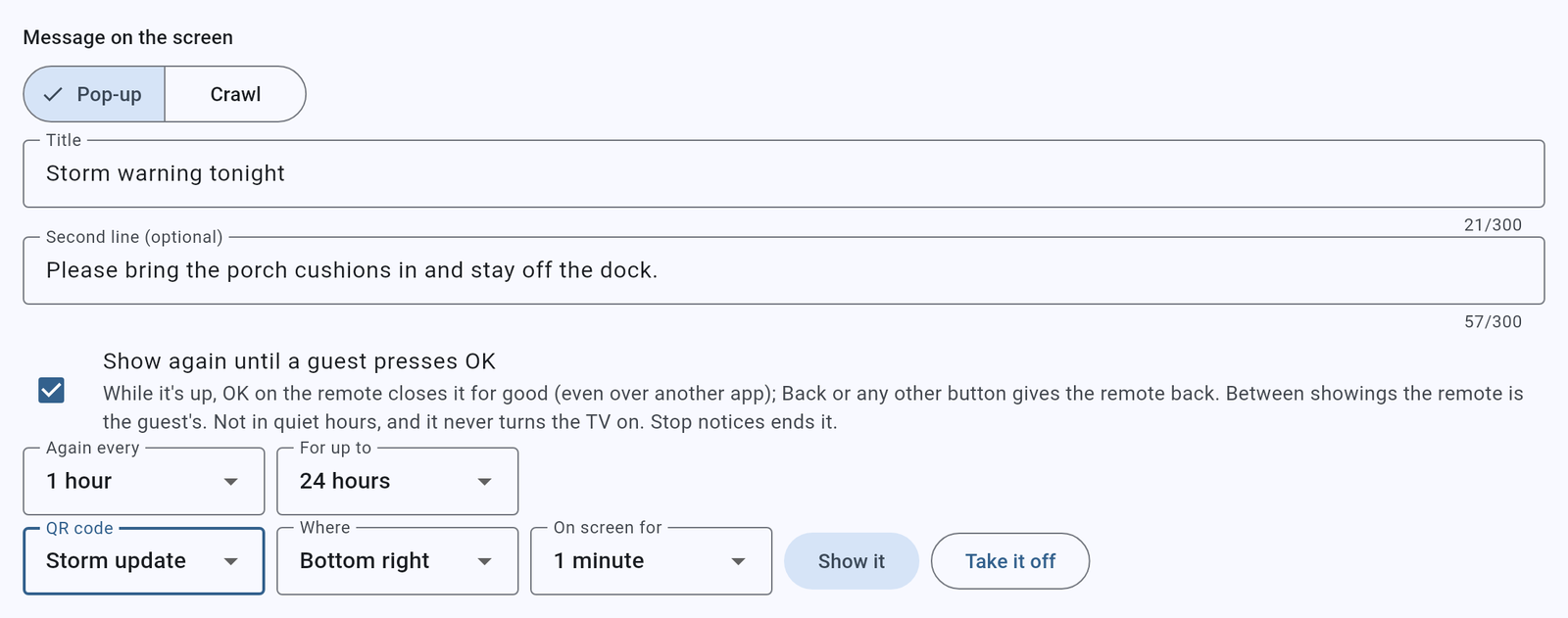
Pop-ups for a storm or a one-time event
Put a message on one TV or all of them, with a QR code to a page you choose for the day. Show it again every hour until a guest presses OK, in the corner you pick.
-
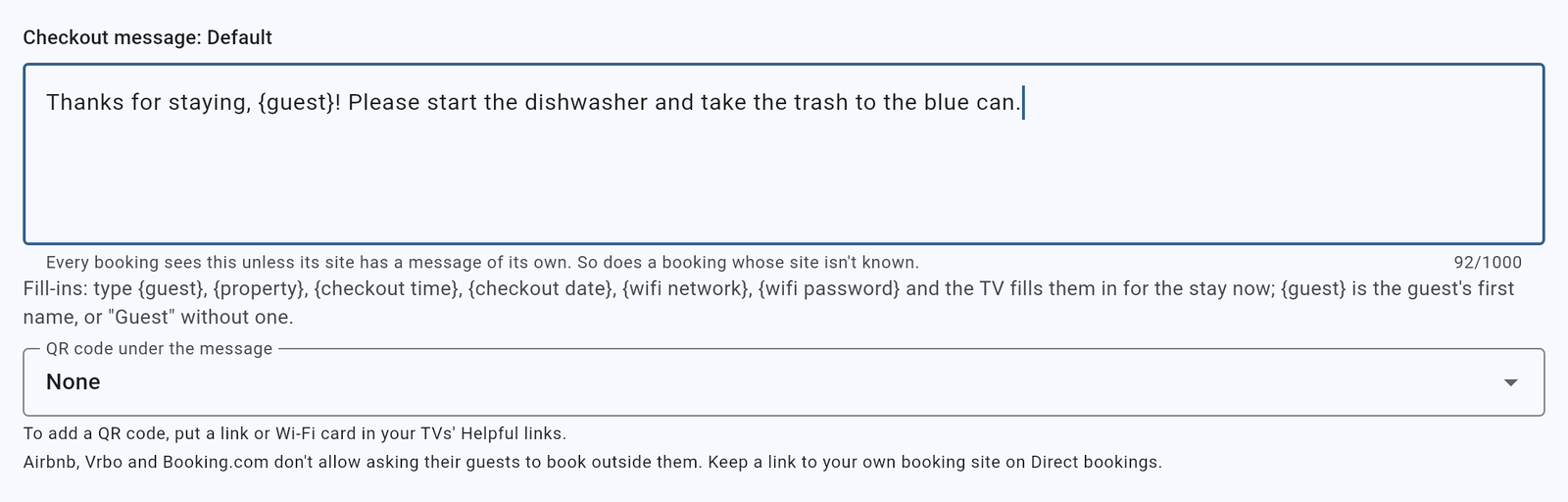
Checkout, in your own words
Write the checkout message once, or one for each booking site, with the guest's name, the time and your Wi-Fi filled in. It shows the evening before and the morning of.
-
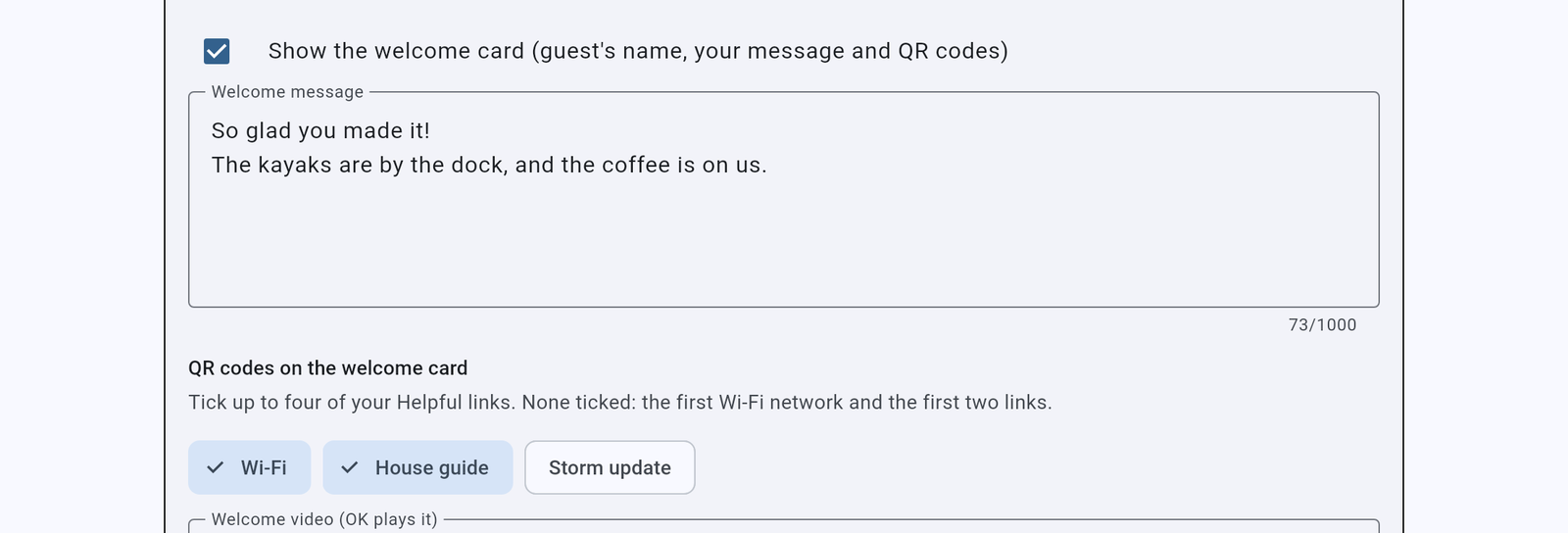
A welcome card for every arrival
Your greeting, the guest's name and up to four QR codes: Wi-Fi, the house guide, whatever they'll look for first.
-
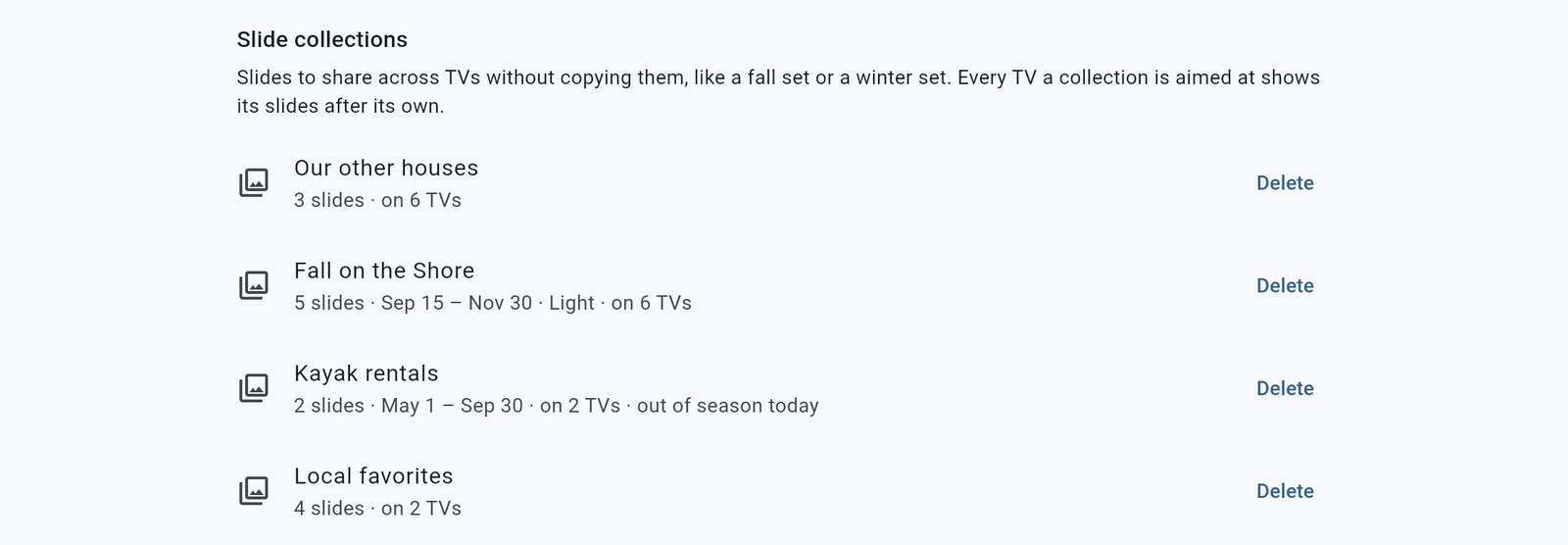
Promotions by season
Slide sets for every house, one house or one TV, each with its own season: kayak rentals in summer, fall colors in the fall.
-
Every TV at a glance
Each house's TVs by group, whether they're on, and which app they run. Update or change several at once.
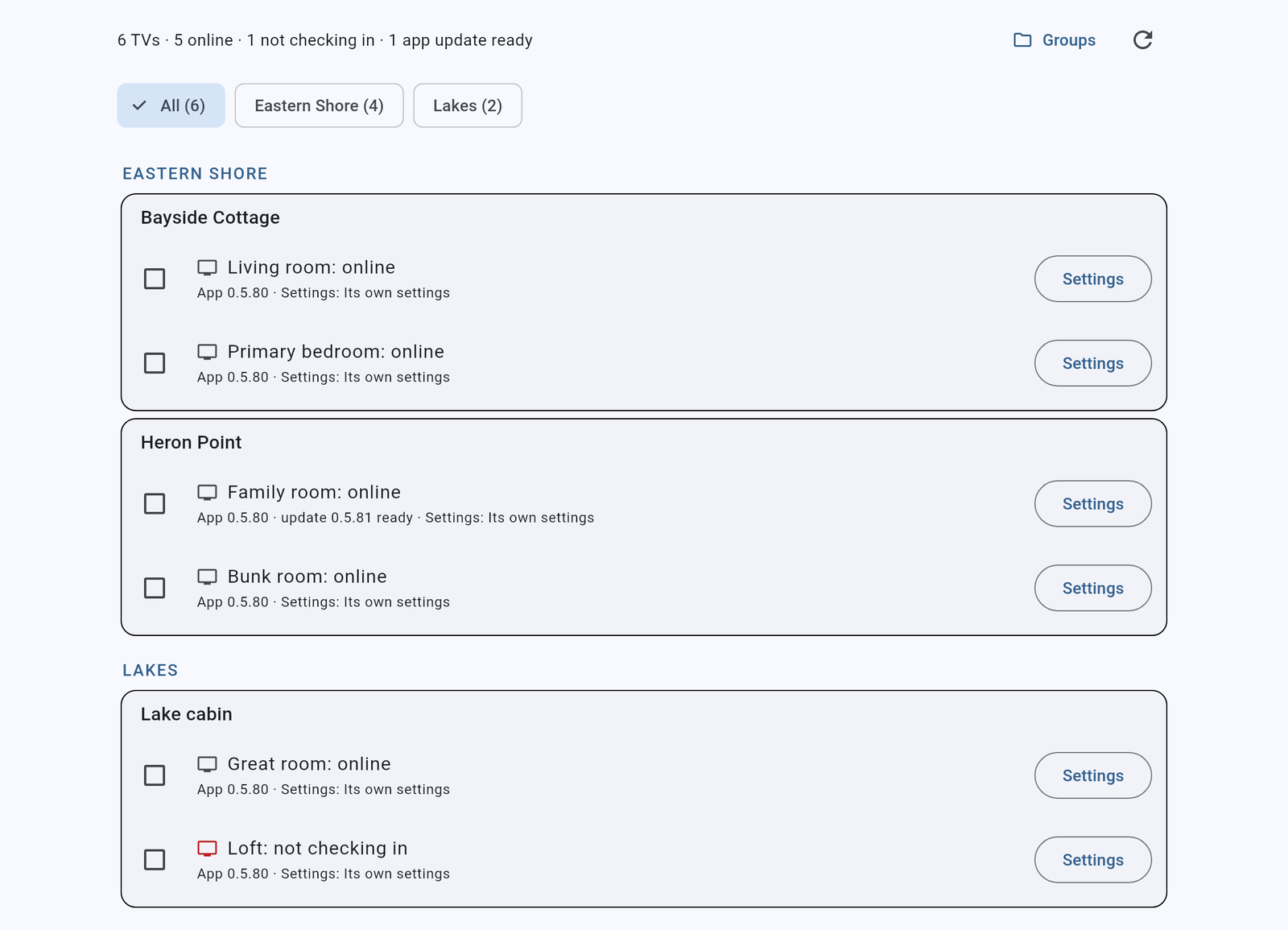
Shown with sample houses and guests.
How it works
-
Connect your bookings
Link your property management system or your booking calendars. STRgazer reads your stays; it never changes your listings.
-
Add it to your TV
Install the app on a new Google TV set, or on any TV with an inexpensive Google TV streamer, and enter the code it shows.
-
Every stay runs itself
Welcomes, reminders and cleanup happen on schedule. You change anything from one dashboard.
A TV that never watches.
Guests should feel at home, not observed. Tv.STRgazer is built that way from the start.
- The app never uses a microphone or camera.
- It knows only the guest's name and stay dates, and clears them after checkout.
- Each host's data is kept separate from every other host's.
- Notices over a guest's show are only the ones you set up, and they dismiss with one press.
Questions hosts ask
What is Tv.STRgazer, exactly?
An app you install on the TV in your rental, like Netflix or YouTube. It becomes the screen guests see when they turn the TV on: their name, your Wi-Fi and house guide, local news, weather and radio, and your checkout steps. You change it from your phone or computer, for one TV or all of them.
Which TVs does it work on?
New Google TV sets, including many from Sony, TCL and Hisense. Any other TV works with an inexpensive Google TV streamer plugged into HDMI. See TV support.
Do I still need cable or an antenna?
Not for local TV news in most areas. Check coverage for your market before canceling anything. Live sports and network shows still need cable, a live TV service or an antenna.
Can guests still use Netflix and their own apps?
Yes. The Home button always goes to the TV's usual home screen, and streaming apps work as normal.
Does it follow Airbnb's rules?
Reminders are polite requests, never requirements, and settings for Airbnb stays start in line with Airbnb's policies. You decide what to turn on.
Which booking systems does it connect to?
We're connecting the most popular property management systems now. Tell us which one you use when you request early access.
What does it cost?
We'll share early-access pricing when we talk. It runs on the TV you already have; you only buy anything if a TV needs a Google TV streamer.
Also from STRgazer · in development
Smart home for rentals
Door codes that follow the calendar, split-house access, and automation driven by each stay. Interested in piloting it? Tell us about your property.
Request early access
Tv.STRgazer is opening to a small group of hosts with Google TV sets or sticks. Tell us about your properties and the booking system you use.
Email hello@strgazer.com